
Habit Tracker
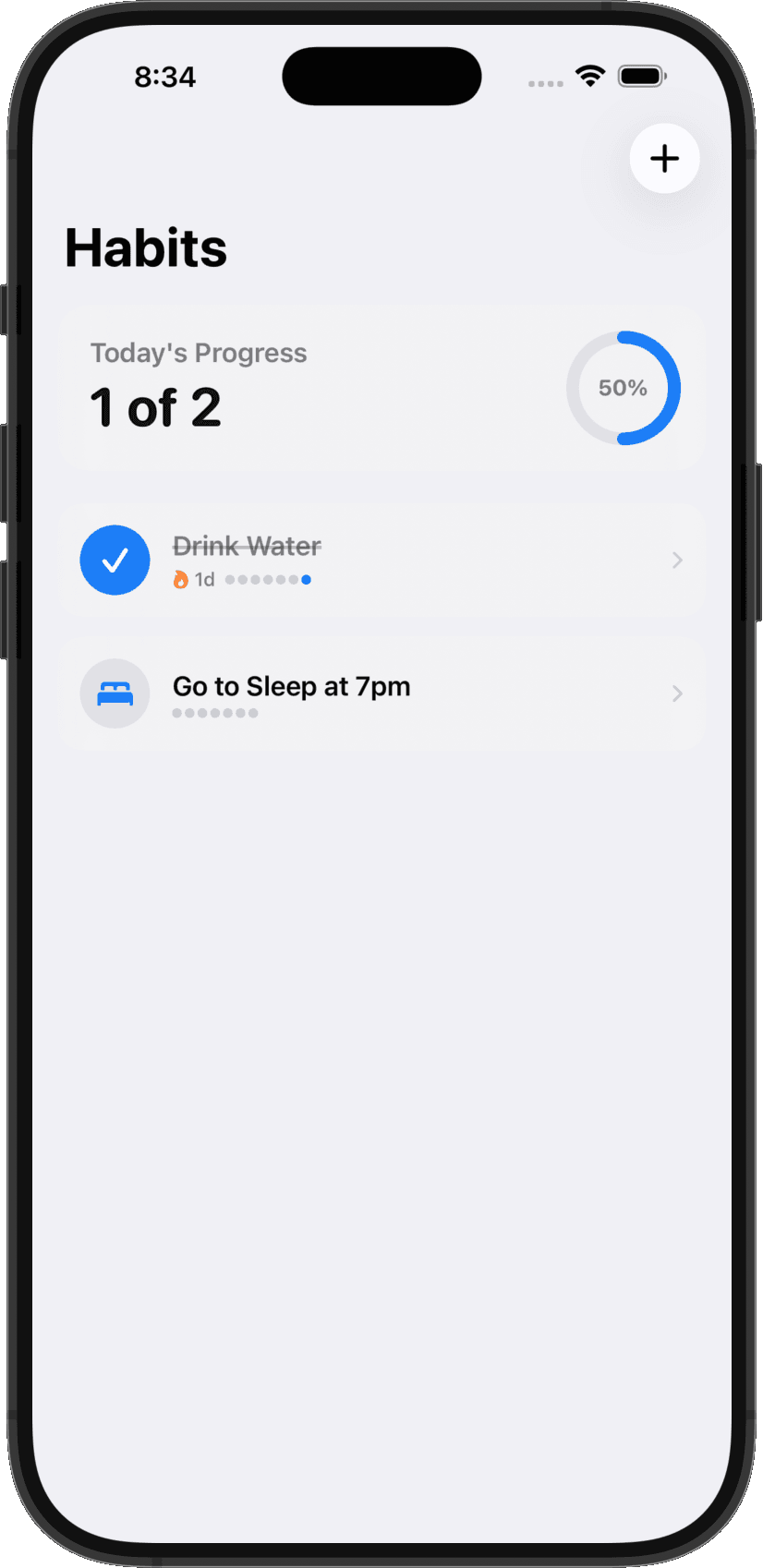
A daily habits interface with a progress ring, completion controls, and streak indicators. This screenshot comes from Milq's existing app demo.
Build your own habit trackerMilq is an AI iOS app builder that turns your ideas into Swift and SwiftUI apps. Describe what you want, try a live simulator, and refine the result from your iPhone — without setting up Xcode on your own Mac.

The live iOS simulator, streamed to your phone.
Tell Milq who the app is for, which screens it needs, and what each action should do. Start small: a habit tracker with an add form, a daily list, and a completion button.
Milq writes the Swift code and builds your project on a remote Mac. Tap through the streamed iOS simulator, attach screenshots, and ask for specific changes to the interface or behavior.
Push a device build through the account portal and check it on your own phone. Test navigation, saved data, and edge cases before preparing a release. Export the Xcode project whenever you need it.
Explore two app demos, then use the guides to start a project of your own.
A daily habits interface with a progress ring, completion controls, and streak indicators. This screenshot comes from Milq's existing app demo.
Build your own habit tracker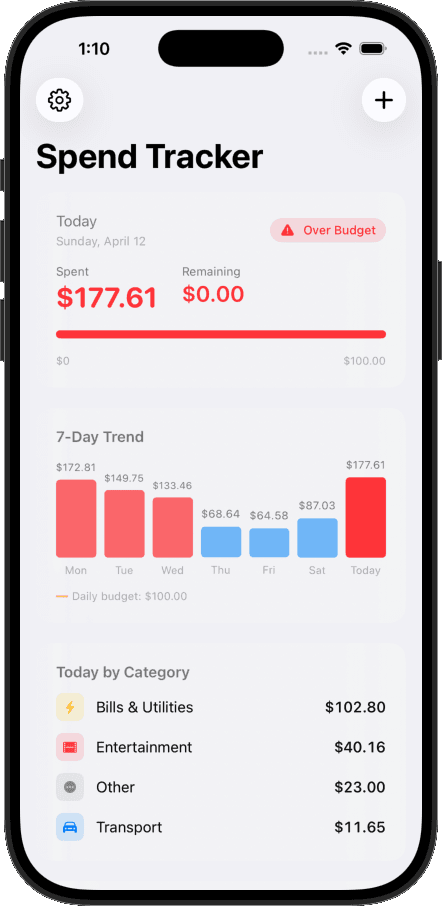
A spending dashboard with a daily budget, a seven-day chart, and a category breakdown. This screenshot comes from Milq's budget-widget demo.
Explore the original app demosYou own your code. Milq generates Swift and SwiftUI files that you can inspect and edit, and you can export the complete Xcode project to continue on a Mac or work with a developer.
Milq is free to download with in-app purchases. Review current plans, credits, and build access in the app. The App Store listing has current device requirements and purchase information.
Test your app on a real device before release. To distribute on the App Store, you need Apple Developer Program membership, signing, an App Store Connect listing, and app review. These steps are separate from generating and previewing your app in Milq.
Yes. Milq compiles your project on remote Macs with Apple's toolchain and streams the running iOS simulator to your phone — no Mac, and no computer of any kind, is required.
No. You never install or open Xcode. Milq runs Apple's real toolchain on remote Macs, so you get a genuine iOS build without Xcode on your end. If you ever want it, you can export the complete Xcode project and keep working on a Mac.
Yes. Milq generates Swift and SwiftUI source code, not a cross-platform wrapper. You can export the complete Xcode project whenever you like.
No. You describe what the app should do in plain language and Milq writes the Swift. Knowing Swift helps you give sharper feedback, but the agent handles the language.
You can prepare your generated iOS project for App Store distribution. Publishing requires Apple Developer Program membership, signing, an App Store Connect listing, and Apple's review. A successful Milq build is a starting point for testing and release preparation, not a guarantee of approval.
Yes. You own your code and can export the complete Xcode project. Continue developing it on a Mac or hand it to a developer as your app grows.
Milq is free to download and offers in-app purchases. Check the app for current plans, credits, and build access before starting. Apple Developer Program membership for App Store distribution is separate.
How Milq compares
Vibe code 3D worlds and arcade loops, and play them on your phone minutes later.
Cross-Platform AppsBuild in React with the same prompt-and-preview loop, straight from your phone.
Download Milq, describe the app you have in mind, and watch a native SwiftUI app take shape on your phone.